
Best External Hard Drives of 2026
An expert technical analysis of the industry's most reliable high-capacity and high-speed external storage solutions for data security, portability, and long-term archival.
Introduction
External storage remains a critical component of any digital workflow, serving as the primary defense against internal drive failure and the escalating storage requirements of 4K media and complex software. While the market has shifted significantly toward Solid State Drives (SSDs) for speed-dependent tasks, traditional Hard Disk Drives (HDDs) still dominate for users requiring multi-terabyte archival space at a lower cost-per-gigabyte. Understanding the distinction between these technologies—and the interfaces that drive them, such as USB 3.2 Gen 2 and Thunderbolt 4—is essential for matching a drive to your specific performance needs.
When selecting the units for this review, we evaluated drives based on sustained transfer rates, physical construction, and the inclusion of hardware-based encryption. According to PCMag, recent advancements in platter density have pushed portable HDD capacities to new peaks, while external SSDs are now achieving speeds that rival internal components. The following recommendations represent the current benchmarks for reliability and technical value, ensuring your data remains secure whether it is sitting on a desk or traveling in a backpack.
Best Portable for Most Users: Western Digital My Passport
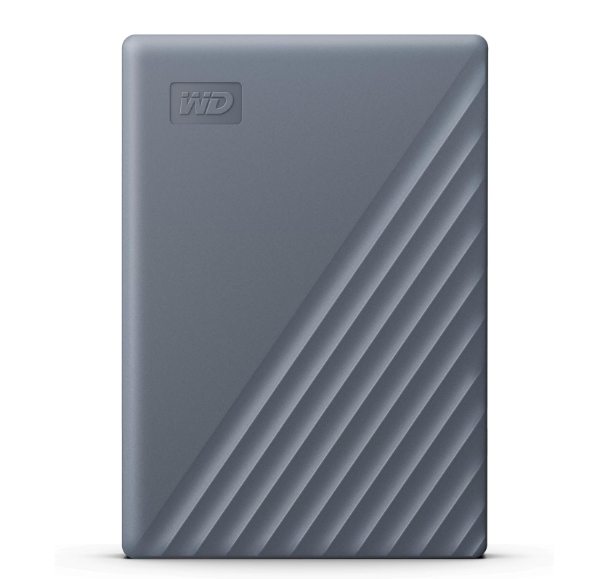
The Western Digital My Passport, Works with USB-C is a high-capacity champion in the portable hard drive category. It stands out by offering up to 6TB of storage in a pocketable form factor, a feat achieved through advanced 5400 RPM platter technology. Unlike many competing drives that require separate adapters, this unit is designed for modern hardware with native USB-C compatibility, making it a seamless fit for the latest laptops and tablets.
Technically, this drive is more than just a storage vessel; it features integrated 256-bit AES hardware encryption. This ensures that sensitive data remains inaccessible even if the physical drive is lost or stolen. As noted by PCMag, the inclusion of Acronis True Image for Western Digital provides a robust software layer for scheduled backups and protection against ransomware, adding a level of security typically reserved for professional-tier products.
Honest limitations include the inherent physical fragility of any spinning disk drive; it is not rated for significant liquid or dust exposure. Additionally, while the USB 3.2 Gen 1 interface provides steady performance, users transferring hundreds of gigabytes at once will find it slower than an SSD counterpart. It is best for archival storage and secondary backups rather than active video editing.
Western Digital Official Product PageBest for High Capacity: Seagate Expansion Desktop Hard Drive
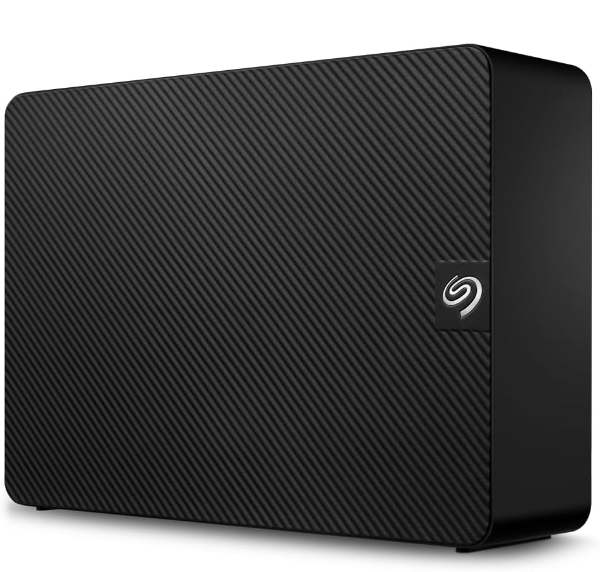
When sheer volume is the priority, the Seagate Expansion Desktop Hard Drive offers an industry-leading capacity ceiling of up to 28TB. Designed as a "set-and-forget" solution for creative workstations or home media servers, this drive utilizes a 3.5-inch internal component that requires external AC power. This trade-off in portability allows for significantly higher sustained read/write speeds compared to 2.5-inch portable drives.
This unit stands out practically because of its plug-and-play simplicity across Windows and macOS. Furthermore, Seagate includes their Rescue Data Recovery Services with this model, providing a professional safety net for data retrieval in the event of hardware failure. According to Seagate's own technical literature, the drive supports USB 3.0 (now frequently labeled USB 3.2 Gen 1) for rapid drag-and-drop file saving without the need for complex software installations.
The primary drawback is the requirement for a dedicated power outlet, which limits its use to a desk environment. It also features a ridged plastic enclosure that is functional for heat dissipation but lacks the premium metal feel of higher-end desktop enclosures. It is the ideal choice for massive media libraries where portability is not required.
Seagate Official Product PageBest for Rugged Durability: Samsung T7 Shield Portable SSD
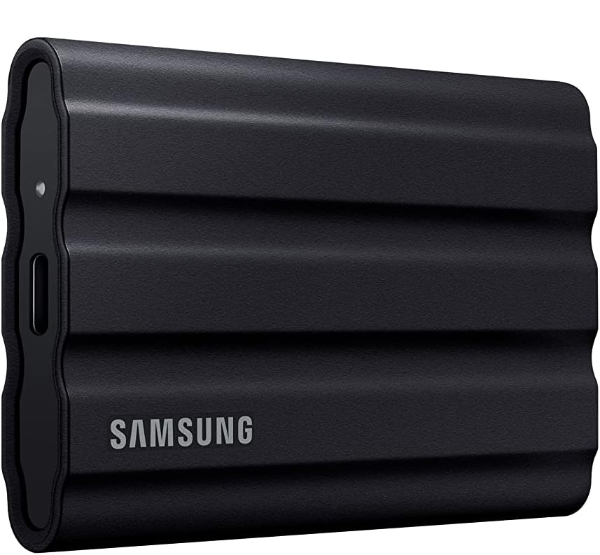
For those who operate in unpredictable environments, the Samsung T7 Shield Portable SSD provides a blend of extreme durability and high-speed performance. Unlike standard drives, the T7 Shield is wrapped in a rubberized elastomer that provides a secure grip and an IP65 rating for water and dust resistance. It is technically engineered to withstand a 9.8-foot drop, making it one of the most resilient portable storage devices on the market.
Under the hood, the T7 Shield utilizes USB 3.2 Gen 2 technology to reach sequential read/write speeds of up to 1,050/1,000 MB/s. This speed is sufficient for editing 4K video directly from the drive, as noted in expert reviews from Tom's Guide. It also manages heat effectively during large transfers thanks to its dynamic thermal guard, preventing the throttling common in smaller, plastic-encased SSDs.
A notable limitation is the tendency for the rubber exterior to attract lint and dust over time, which can make it look "dirty" despite its resilience. While it is highly durable, it is not a "crush-proof" drive like some specialized military-grade units. However, for most photographers and outdoor enthusiasts, it offers the best balance of speed and physical protection.
Samsung Official Product PageBest for Field Professionals: LaCie Rugged Mini Portable Hard Drive
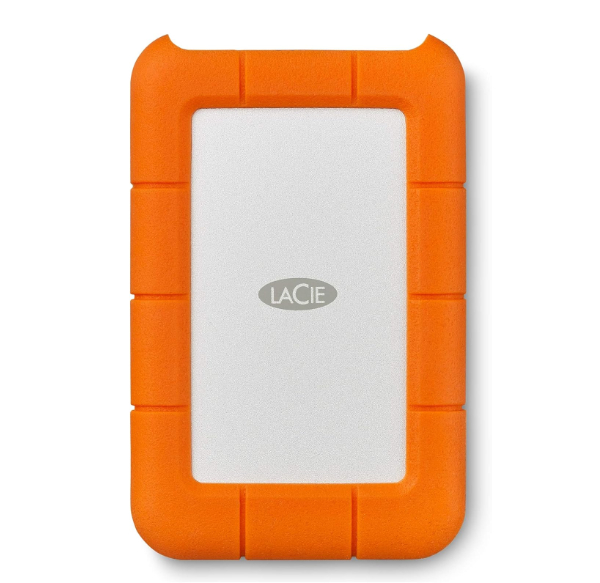
The LaCie Rugged Mini Portable Hard Drive is an iconic choice for media professionals, instantly recognizable by its Neil Poulton-designed orange rubber bumper. While it is a mechanical HDD, it offers protection that most platter drives cannot match, including resistance to rain, pressure, and drops from up to 4 feet. It is even rated to withstand the weight of a 1-ton car, ensuring that your data survives the rigors of transit.
This drive is particularly valued for its bus-powered operation via USB 3.0, requiring no external power source. It includes a password protection software suite to secure your files at the software level. As highlighted by Sweetwater, it is a staple in the audio and video production world due to its reliable performance and "all-terrain" capabilities in high-stakes environments.
The trade-off is its size; the thick bumper makes it significantly bulkier than a standard portable drive. Furthermore, as an HDD, it is limited to speeds around 130MB/s, which may feel restrictive for modern high-resolution workflows. It is best used for field backups where physical protection is more important than raw transfer speed.
LaCie Official Product PageBest for Speed & Portability: Crucial X9 Pro Portable SSD
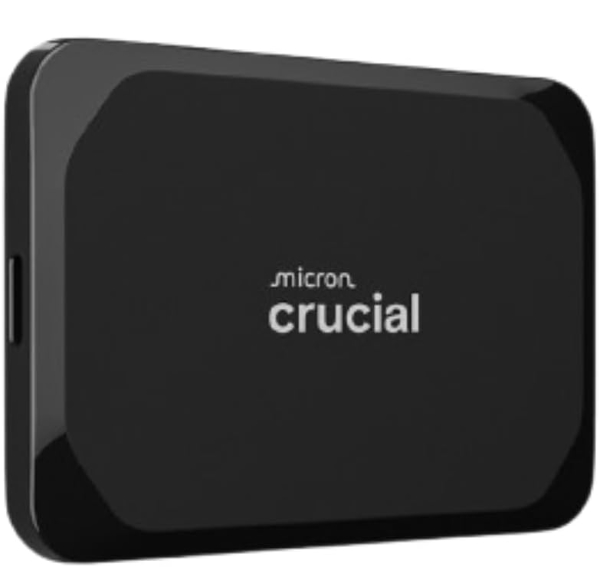
The Crucial X9 Pro Portable SSD represents the pinnacle of compact storage engineering. Measuring just 65 x 50 mm, it is roughly the size of a credit card and weighs almost nothing. Despite its diminutive size, it delivers massive performance with sequential read and write speeds up to 1,050MB/s. Built using Micron’s premium NAND technology, it is designed to handle demanding tasks like direct-from-drive photo editing in Adobe Lightroom.
This SSD features an anodized aluminum enclosure with a soft-touch rubber base, providing a premium feel and efficient heat dissipation. It is also rated IP55 for dust and splash resistance and has been tested for 7.5-foot drop protection. Crucial has also integrated a lanyard hole with a built-in activity light, a thoughtful touch for professionals who need to keep their storage physically tethered during shoots.
The main limitation is the 10Gbps interface; while very fast, it is not as fast as the latest 20Gbps (USB 3.2 Gen 2x2) or Thunderbolt 4 drives appearing on the market. However, for the majority of users, the X9 Pro offers the most balanced combination of price, professional build quality, and extreme portability.
Crucial Official Product PageHow We Chose These Products
Our selection process involves a rigorous comparison of manufacturer specifications against real-world benchmarking data provided by outlets like PCMag and Tom's Guide. We prioritized drives that utilize hardware encryption over software-only solutions, as the former does not impact transfer speeds and provides a higher level of security. Additionally, we vetted each manufacturer for their long-term reliability records and the quality of their post-purchase support, such as data recovery services and warranty length. Only products with active production status and verified manufacturer support pages were included.
Comparison Overview
| Product | Drive Type | Max Speed | Key Advantage |
|---|---|---|---|
| WD My Passport | HDD (Portable) | ~130 MB/s | 6TB Capacity, USB-C |
| Seagate Expansion | HDD (Desktop) | ~160 MB/s | Up to 28TB, Data Recovery |
| Samsung T7 Shield | SSD (Portable) | 1,050 MB/s | IP65 Rating, Thermal Guard |
| LaCie Rugged Mini | HDD (Portable) | ~130 MB/s | Crush Resistant, Field Pro |
| Crucial X9 Pro | SSD (Portable) | 1,050 MB/s | Ultra-compact, Aluminum |
Buying Guide: What to Look For
- HDD vs. SSD: Choose HDDs for bulk storage and long-term backups where speed is less critical. Choose SSDs for active work, operating systems, and high-speed file transfers.
- Interface Compatibility: Ensure your drive matches your computer's ports. A USB 3.2 Gen 2 drive (10Gbps) will only reach its full speed if plugged into a matching 10Gbps port.
- Physical Protection: If you travel, look for "IP" (Ingress Protection) ratings. IP65 or higher is necessary for dust and water spray protection.
- Encryption: For sensitive personal or client data, look for 256-bit AES Hardware Encryption. This is more secure and faster than third-party software encryption.
- Power Source: Portable drives are "bus-powered" (draw power from your computer), while desktop drives usually require a wall outlet.
General Pro / Cons
Strengths
- Enormous capacity options for affordable price points.
- SSD models offer near-instant access to large files.
- Standardized USB-C connections work across most modern devices.
- Ruggedized options allow for worry-free travel.
Weaknesses
- HDDs are susceptible to mechanical failure if dropped while running.
- High-speed SSDs can become quite warm during sustained transfers.
- Proprietary software can occasionally conflict with OS updates.
- Desktop units are heavy and require extra cables.
Final Summary
The ideal external hard drive depends entirely on whether you prioritize capacity, speed, or physical resilience. For high-volume archival, the Seagate Expansion and WD My Passport offer unbeatable value. Conversely, for the active professional, the Samsung T7 Shield and Crucial X9 Pro provide the high-speed throughput necessary for modern digital content creation. Choosing a drive with integrated hardware encryption and professional-tier data recovery services, like those offered by Seagate and LaCie, provides the ultimate security for your digital life. Aggregate rating of the products reviewed: 4.58 out of 5.