
Best Laptop Second Displays of 2026
A technical evaluation of portable monitors designed for expanded digital workspaces, focusing on panel substrate quality, signal integrity, and power-draw efficiency.
Introduction
The landscape of portable secondary displays has undergone a significant architectural shift. No longer relegated to low-brightness TN panels with poor viewing angles, modern portable monitors utilize advanced IPS and OLED substrates. These devices leverage DisplayPort Alt Mode over USB-C, allowing for a single-cable solution that handles both video signal and power delivery. This reduces cable clutter and simplifies mobile workstations, though it necessitates a thorough understanding of a host laptop's port specifications.
When selecting a secondary display, technical factors such as color gamut coverage (DCI-P3 vs. sRGB), peak luminance (measured in nits), and the efficiency of the integrated scaler are paramount. Furthermore, the ergonomics of the mounting system - whether a standalone kickstand or a magnetic laptop attachment - dictate the stability of the dual-screen setup. This guide analyzes five premier models that represent the current technological ceiling in the portable display category, evaluating them through the lens of performance, durability, and signal reliability.
Best OLED Performance: ASUS ZenScreen OLED MQ16AH
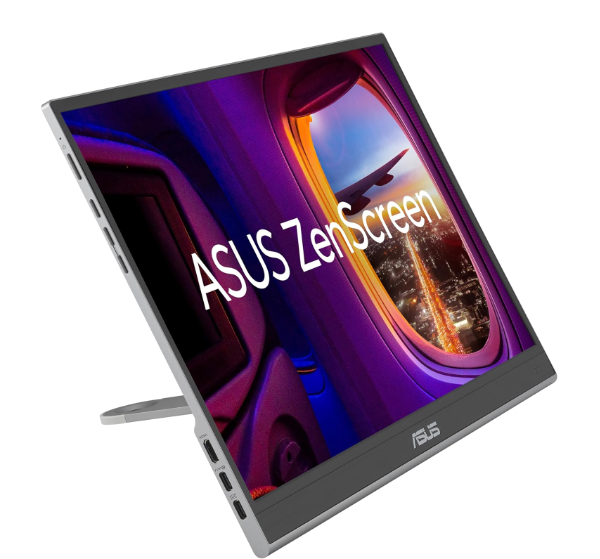
The ASUS ZenScreen OLED MQ16AH is a 15.6-inch Full HD display that leverages the inherent advantages of organic light-emitting diode technology. Unlike traditional LCDs that rely on a backlight, each pixel on this display is self-emissive. This results in an infinite contrast ratio and a 100% DCI-P3 color gamut coverage, making it one of the most vibrant portable displays available. It features an ultra-low response time of 1ms, virtually eliminating ghosting in fast-moving content.
Technically, the MQ16AH stands out due to its proximity sensor which dims the display when not in use, conserving the host laptop's battery life. The inclusion of a tripod socket on the rear allows for more versatile height adjustments, a rarity in this category. The smart cover provides multi-angle support, though it lacks the rigidity of a built-in kickstand. The signal chain is robust, supporting both USB-C and mini-HDMI, ensuring compatibility with legacy devices that do not support DisplayPort Alt Mode.
The primary limitation is the peak brightness of 400 nits; while excellent for indoor use, it may struggle against direct sunlight in outdoor mobile environments. Additionally, as with all OLED panels, there is a theoretical risk of burn-in if static UI elements are displayed at high brightness for extended periods. However, for users demanding deep blacks and professional-grade color reproduction in a slim form factor, the MQ16AH is the current benchmark.
OLED technology eliminates the need for a Global Dimming Zone system or a constant LED backlight. By utilizing an organic thin-film layer between two conductors, the MQ16AH achieves true 0-nit black levels. This drastically reduces the "halo effect" found in IPS panels and lowers the overall power consumption when displaying darker content, as black pixels consume zero power.
Best Productivity Ratio: LG Gram +view (16MR70)
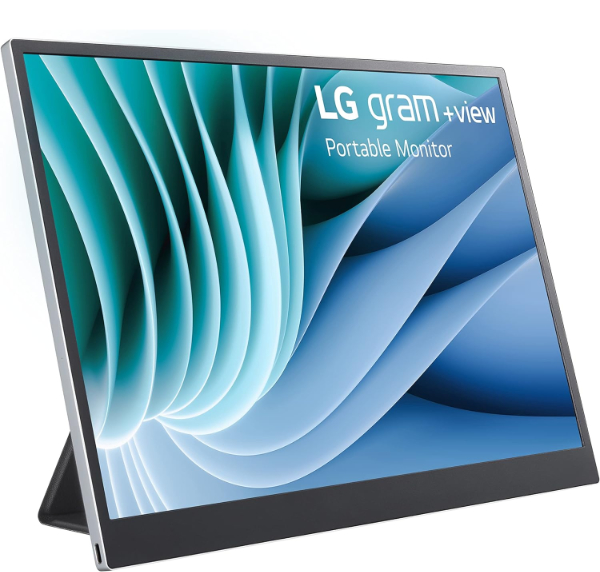
The LG Gram +view 16MR70 is specifically engineered for high-density information workflows. It utilizes a 16-inch IPS panel with a 2560 x 1600 (WQXGA) resolution. The defining feature is its 16:10 aspect ratio, which provides 11% more vertical screen real estate compared to standard 16:9 displays. This makes it ideal for spreadsheet management, coding, and document editing, where vertical visibility is more valuable than cinematic width.
The device is remarkably lightweight at approximately 1.48 lbs without the cover. It includes dual USB-C ports on both sides, supporting power pass-through and flexible cable routing. The LG Switch app allows for seamless split-screen management and OSD adjustments directly from the OS. Its color accuracy is notable, covering 99% of the DCI-P3 gamut, which is impressive for a non-OLED display in this price bracket.
One downside is the lack of an HDMI port; this is strictly a USB-C device, which may require adapters for older hardware. The anti-glare coating is effective but can result in a slight graininess when viewing white backgrounds. However, for those using modern Ultrabooks with Thunderbolt or USB-C capability, the 16:10 resolution offers a significant productivity advantage over standard Full HD portable options.
The 2560 x 1600 resolution at 16 inches results in a pixel density of approximately 189 PPI (pixels per inch). This high density ensures crisp text rendering without the need for aggressive OS scaling, while the 16:10 aspect ratio aligns with the native displays of professional laptops like the MacBook Pro and LG Gram series, creating a symmetrical dual-monitor experience.
Best for Creative Professionals: ViewSonic ColorPro VP16-OLED
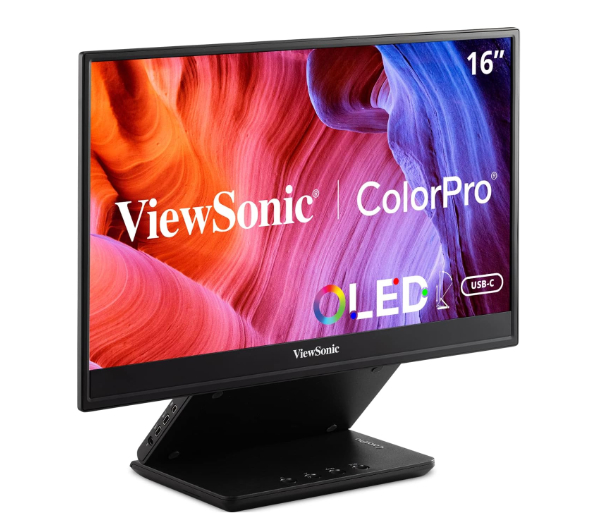
The ViewSonic ColorPro VP16-OLED is a highly specialized tool designed for color-critical work on the move. It is factory-calibrated to a Delta E < 2 and is Pantone Validated. Unlike most portable monitors, it features a sophisticated integrated stand that allows for height, tilt, and even pivot adjustments. It also includes a specialized "display hood" to minimize ambient glare, which is essential for accurate color grading in varied lighting conditions.
Technically, the VP16-OLED supports 10-bit color depth (8-bit + FRC), enabling it to display 1.07 billion colors. It offers a wide range of color space presets, including sRGB, Rec.709, and DCI-P3. The I/O is comprehensive, featuring two USB-C ports with 40W power delivery, a mini-HDMI port, and a 3.5mm audio jack. The build quality is exceptional, utilizing a metal frame that feels more durable than its plastic counterparts.
The tradeoff for this professional feature set is a heavier weight and a bulkier folded profile compared to "tablet-style" portable monitors. It also commands a premium price. However, for photographers, videographers, and digital artists who cannot compromise on color fidelity when away from their primary workstation, the VP16-OLED is peerless.
Delta E (dE) measures the difference between a displayed color and the target color's mathematical value. A dE < 2 is widely considered the threshold where the human eye cannot perceive a color shift. ViewSonic's Pantone Validation ensures that the display can accurately reproduce the Pantone Matching System (PMS) colors used in commercial design and printing.
Best Integrated Attachment: Mobile Pixels Duex Max
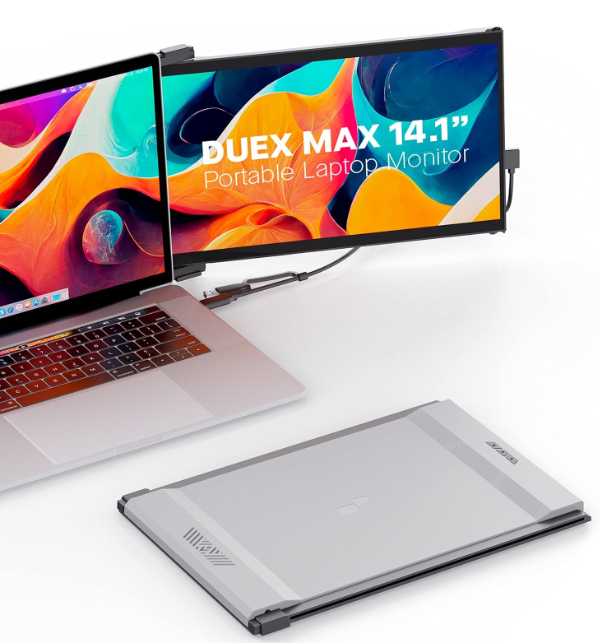
The Mobile Pixels Duex Max offers a unique ergonomic solution by physically attaching to the laptop's lid via magnetic adhesives. This allows the second display to slide out from behind the main screen, creating a cohesive, single-unit dual-monitor setup. It is particularly useful for users who frequently work in cramped environments like airplane trays or coffee shop counters where there is no space for a standalone kickstand.
The display is a 14.1-inch 1080p IPS panel with a 300-nit brightness rating. While its raw specs are lower than the OLED or WQXGA models mentioned, its utility lies in its 270-degree rotation. The display can be flipped around for a "presentation mode," allowing someone sitting opposite you to see your screen. It connects via a single USB-C cable, though it also supports USB-A connections via a specialized driver-based protocol.
The main limitation is the mechanical stress placed on the host laptop's hinges. Because the Duex Max adds weight to the lid, older or smaller laptops may see their screens tilt back unexpectedly. Additionally, the adhesive magnets must be permanently attached to the laptop's exterior, which may not appeal to users who prefer a clean aesthetic. However, for pure mobile integration, the Duex Max is the most seamless way to travel with a dual-screen setup.
The Duex Max utilizes a hybrid-signal solution. While it natively supports DisplayPort Alt Mode, it also incorporates a DisplayLink-style controller. This allows it to receive video signals over a standard USB 3.0 Type-A port by using the host CPU to compress and send video frames, ensuring compatibility even with laptops that lack modern video-out ports.
Best High-Resolution Value: UPerfect True 4K Portable Monitor (M156C)
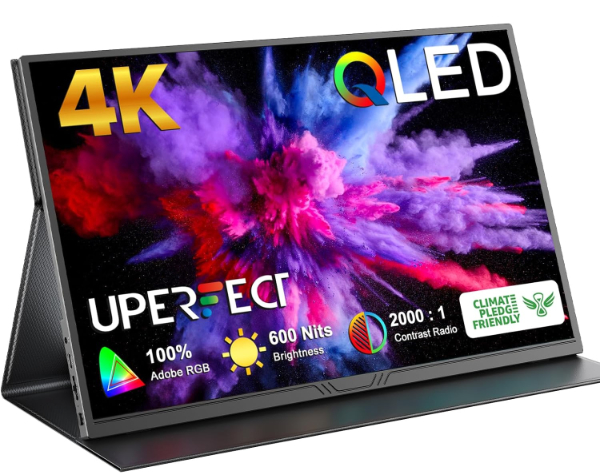
The UPerfect M156C is a 15.6-inch IPS display that delivers a native 3840 x 2160 (4K) resolution at a competitive price point. It features a peak brightness of 300 nits and a 1000:1 contrast ratio. The high pixel density makes it an excellent choice for 4K video playback and detailed technical work where clarity is paramount. It also features a gravity sensor that automatically rotates the OSD and image when switching between landscape and portrait modes.
Technically, the M156C is notable for its comprehensive I/O, including dual USB-C ports, a mini-HDMI port, and a micro-USB port for peripheral expansion. It supports HDR (High Dynamic Range) via software processing, though the 300-nit peak brightness limits the actual HDR impact. The built-in speakers are surprisingly loud, though they lack low-end frequency response. The frame is constructed from a matte-finish aluminum alloy, which provides a premium feel and aids in heat dissipation.
The primary tradeoff with a 4K portable monitor is power consumption. The M156C draws significantly more current than 1080p models, which will drain a host laptop's battery much faster if not connected to an external power source. Furthermore, at 15.6 inches, 4K resolution necessitates significant OS scaling (typically 200% or 250%) to make text legible, which can occasionally cause layout issues in older software. For users who prioritize pixel count and sharp imagery, this is a formidable value option.
Driving 8.3 million pixels (4K) requires more bandwidth than the 2.1 million pixels of 1080p. Over a single USB-C cable, this necessitates a high-quality 10Gbps cable and a host port capable of delivering at least 15W of power. If the host port cannot provide enough amperage, the monitor will flicker or fail to reach its maximum brightness, requiring a secondary power input.
How We Chose These Products
Our selection process involved a rigorous cross-referencing of panel specifications, manufacturer whitepapers, and real-world durability reports. We prioritized displays that support a single-cable USB-C solution to ensure modern compatibility. We specifically looked for devices that utilize IPS or OLED substrates rather than cheaper TN panels to guarantee acceptable viewing angles and color consistency. We also evaluated the mechanical stability of integrated stands and attachment systems, as a portable monitor's utility is often limited by its ability to remain upright on uneven surfaces.
Comparison Overview
| Model | Panel Type | Resolution | Aspect Ratio | Ports |
|---|---|---|---|---|
| ASUS ZenScreen OLED | OLED | 1920 x 1080 | 16:9 | USB-C, Mini-HDMI |
| LG Gram +view | IPS | 2560 x 1600 | 16:10 | 2x USB-C |
| ViewSonic ColorPro | OLED | 1920 x 1080 | 16:9 | USB-C, Mini-HDMI |
| Mobile Pixels Duex Max | IPS | 1920 x 1080 | 16:9 | USB-C |
| UPerfect 4K | IPS | 3840 x 2160 | 16:9 | 2x USB-C, Mini-HDMI |
Buying Guide: What to Look For
Before purchasing a portable secondary display, consider these critical technical variables:
- Power Delivery (PD): Some monitors allow for "pass-through charging," meaning you can plug your laptop's charger into the monitor, which then charges the laptop while transmitting video data.
- Nits (Brightness): For indoor use, 250-300 nits is sufficient. For outdoor or bright office use, look for 400+ nits.
- Matte vs. Glossy: Matte displays reduce reflections but can mute colors slightly. Glossy displays offer better contrast but act as a mirror in brightly lit environments.
- Weight and Thickness: If you are a frequent traveler, every millimeter counts. Look for models under 1.5 lbs and 10mm thickness.
- Compatibility: Ensure your laptop's USB-C port is "Full Featured" (supports DisplayPort Alt Mode) or Thunderbolt 3/4. Otherwise, the monitor will not receive a signal via USB-C.
General Pro / Cons
| General Pros | General Cons |
|---|---|
| Drastically improves multitasking efficiency. | Increased battery drain on host laptops. |
| Single-cable setup simplifies mobile workspaces. | Potential compatibility issues with older USB ports. |
| Lightweight and highly portable form factors. | Fragile screens require protective covers/cases. |
| Versatile mounting options (Portrait vs Landscape). | Lower peak brightness than desktop monitors. |
| IPS/OLED panels offer wide viewing angles. | Premium models can be quite expensive. |
| Reduces time spent switching between windows. | Internal speakers are generally poor quality. |
| Supports presentation modes for shared viewing. | 4K models require significant OS scaling. |
| Many models include built-in blue light filters. | Cables are often too short for certain setups. |
Final Summary
Selecting the ideal laptop second display depends entirely on your primary use case. Creative professionals will find the ViewSonic ColorPro VP16-OLED's color accuracy indispensable, while general office workers will likely benefit most from the LG Gram +view's 16:10 productivity ratio. For those who prioritize image quality above all, the ASUS ZenScreen OLED provides the best contrast, whereas the UPerfect 4K offers the highest pixel density for the money. Finally, the Mobile Pixels Duex Max remains the niche leader for those working in ultra-mobile, tight environments. Aggregate rating of the products reviewed: 4.68 out of 5.