
Best 14-Inch Laptops of 2026
A technical analysis of the industry’s premier 14-inch portable computers, evaluated for thermal efficiency, display color accuracy, and architectural performance in the professional and creative sectors.
Introduction
The 14-inch laptop form factor has emerged as the definitive "sweet spot" in mobile computing, striking a precise balance between the thermal constraints of 13-inch ultrabooks and the cumbersome footprint of 16-inch workstations. This category has undergone a radical transformation recently, driven by the shift toward high-efficiency ARM-based architectures and Intel’s move toward "Meteor Lake" and "Lunar Lake" chipsets featuring dedicated Neural Processing Units (NPUs). These advancements allow for sustained performance in thin-and-light chassis that previously suffered from aggressive thermal throttling.
Technical evaluation of these machines requires a deep look into display technology and power delivery. The standard for premium 14-inch machines has shifted toward OLED and Mini-LED panels, offering DCI-P3 color gamut coverage essential for visual professionals. Simultaneously, the adoption of LPDDR5x memory and PCIe Gen4 (or Gen5) storage ensures that data throughput keeps pace with multi-core processing power. In this guide, we analyze the current market leaders based on their architectural efficiency, build integrity, and real-world endurance.
Best for Creative Professionals: Apple MacBook Pro 14 (M3 Pro / Max)
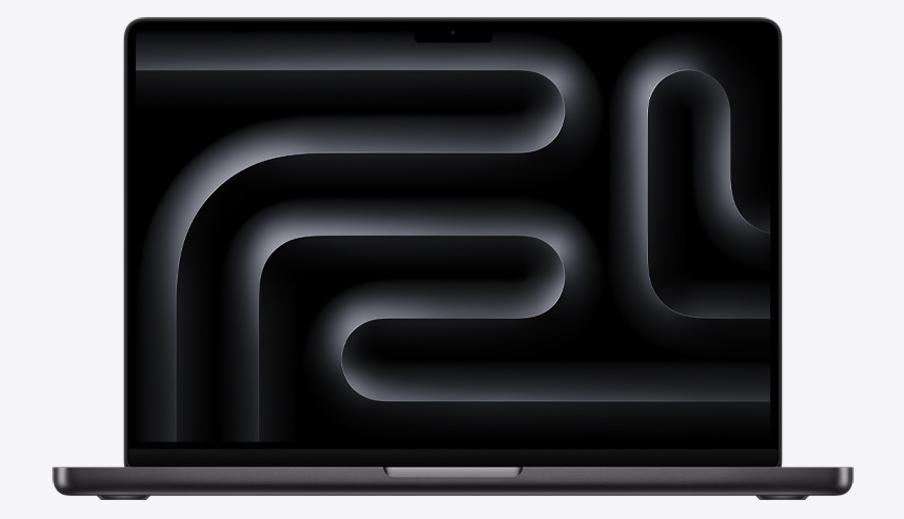
The MacBook Pro 14 continues to dominate the creative sector through its highly integrated M-series System on a Chip (SoC). By utilizing a Unified Memory Architecture (UMA), the CPU and GPU share a single pool of high-bandwidth, low-latency memory, which virtually eliminates the data bottleneck common in traditional discrete-GPU configurations. For video editors and 3D renderers, this means the ability to handle massive textures and 8K video streams that would typically exceed the VRAM of a mobile workstation. The Liquid Retina XDR display is equally impressive, utilizing 10,000 Mini-LEDs to achieve a 1,000,000:1 contrast ratio and 1,600 nits of peak brightness for HDR content.
Technically, the M3 Pro and Max chips utilize a 3-nanometer process, allowing for increased transistor density and significantly improved performance-per-watt. This efficiency translates to a battery life that often exceeds 15 hours of real-world professional use, a figure that remains unmatched by most X86 competitors. The thermal management system is designed to remain silent during most tasks, only activating the fans under sustained heavy computational loads. The inclusion of a dedicated media engine provides hardware-accelerated ProRes and AV1 decoding, which is a critical advantage for modern digital workflows.
However, Apple’s ecosystem remains notoriously rigid. The memory and storage are soldered to the SoC, making post-purchase upgrades impossible. The port selection, while including an SDXC card slot and HDMI 2.1, lacks USB-A support, necessitating adapters for legacy peripherals. Additionally, the premium price point reflects the "Apple Tax," particularly when scaling up unified memory. Despite these constraints, the MacBook Pro 14 remains the most reliable tool for professionals who require consistent performance whether plugged into a wall or working remotely on battery power.
Apple Official Product PageTechnical Deep-Dive: Unified Memory Architecture (UMA)
In a standard PC, the CPU and GPU have separate memory pools (RAM and VRAM). Moving data between them requires the PCIe bus, which introduces latency. Apple’s UMA places the memory on the SoC package itself. This allows both the CPU and GPU to access the same data without copying it, utilizing a 128-bit, 192-bit, or even 400-bit memory interface depending on the chip variant. For tasks like Large Language Model (LLM) inference or high-resolution grading, this high-speed access to up to 128GB of memory (on M3 Max) provides a distinct architectural advantage over mobile Windows workstations.
Best Performance & Gaming: ASUS ROG Zephyrus G14 (GA403)
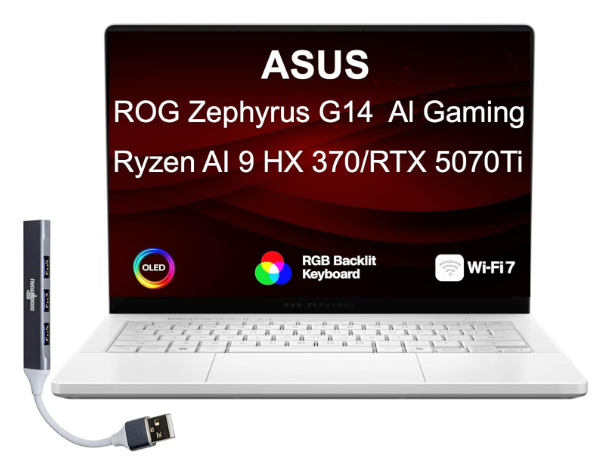
The ASUS ROG Zephyrus G14 redefined the 14-inch gaming category by packing high-TDP components into a chassis that weighs under 3.3 pounds. The latest iteration features a stunning 3K OLED Nebula Display with a 120Hz refresh rate and a 0.2ms response time. Unlike previous LCD models, this OLED panel offers 100% DCI-P3 coverage and VESA DisplayHDR True Black 500 certification, making it a dual-threat machine for both competitive gamers and professional colorists. Under the hood, it pairs AMD Ryzen 9 processors with NVIDIA RTX 40-series GPUs, utilizing a MUX switch to allow the GPU to bypass the integrated graphics and send frames directly to the display for reduced latency.
Thermal engineering is the highlight of the G14. ASUS employs a sophisticated cooling solution that includes liquid metal thermal compound from Thermal Grizzly, which can reduce CPU temperatures by up to 13°C compared to traditional paste. The tri-fan technology and high-efficiency heat pipes manage the 90W+ TGP (Total Graphics Power) without the high-pitched "whine" often associated with small gaming laptops. The CNC-machined aluminum chassis provides a rigidity that rivals the MacBook Pro, moving away from the "gamery" plastic aesthetics of the past toward a sophisticated "Slash Lighting" design on the lid.
Limitations involve the inherent power demands of high-performance X86 hardware. While battery life is excellent for a gaming laptop, it cannot compete with the efficiency of Apple Silicon during heavy workloads. Additionally, the soldering of the LPDDR5x RAM in the latest models prevents future memory expansions. Some users may also find the bottom of the chassis becomes uncomfortably warm during prolonged gaming sessions. However, for those who need a Windows machine capable of ray-traced gaming and 3D rendering in a portable form factor, the Zephyrus G14 is the current peak of engineering.
ASUS Official Product PageTechnical Deep-Dive: Liquid Metal & Vapor Chambers
In the 14-inch G14, ASUS replaces traditional thermal grease with Liquid Metal. Unlike paste, which contains ceramic or metallic particles in a silicone binder, liquid metal is a gallium-indium alloy with much higher thermal conductivity (up to 73 W/mK vs. 5-10 W/mK for high-end paste). This allows the heat to transfer almost instantly from the silicon die to the vapor chamber cooling system. The vapor chamber itself uses a phase-change process - liquid evaporating into vapor and condensing back - to spread heat across a much larger surface area than traditional solid copper heat pipes could manage in such a thin profile.
Best for Enterprise Mobility: Lenovo ThinkPad X1 Carbon (Gen 12)
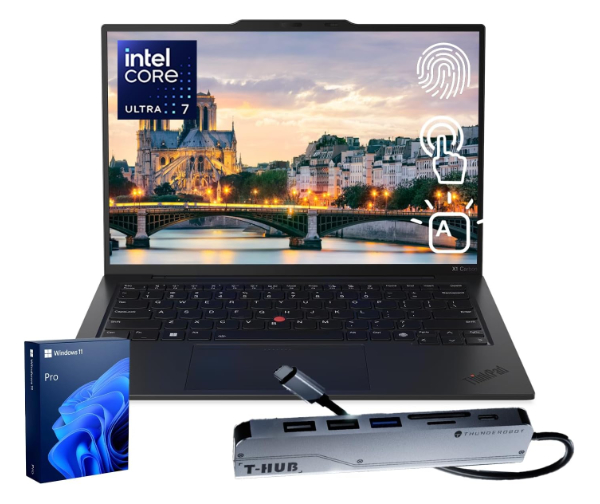
The ThinkPad X1 Carbon Gen 12 remains the gold standard for business professionals, prioritizing durability, security, and input ergonomics. Constructed from a combination of carbon fiber and magnesium alloy, the chassis is tested against MIL-STD 810H standards to ensure it survives drops, spills, and extreme temperatures. The keyboard is widely considered the best in the industry, featuring 1.5mm of key travel and a tactile response that facilitates long-form typing with minimal fatigue. The latest generation integrates Intel Core Ultra processors, which feature a dedicated NPU for AI-enhanced background tasks, such as webcam noise suppression and battery optimization, without taxing the main CPU cores.
Security is a primary focus for the X1 Carbon. It includes a physical webcam privacy shutter, a Match-on-Chip fingerprint reader, and a dTPM 2.0 chip for hardware-level encryption. Connectivity is another technical strength; despite its 14.9mm thickness, it retains two Thunderbolt 4 ports, two USB-A 3.2 ports, and an HDMI 2.1 port, eliminating the need for dongles in most corporate environments. The optional 5G sub-6 connectivity ensures that mobile executives remain connected in areas where public Wi-Fi is unreliable or insecure. The new "Communication Bar" at the top of the lid houses a high-quality 8MP sensor, making it one of the few laptops designed specifically for the demands of high-definition remote collaboration.
The main trade-off is the price-to-performance ratio for creative tasks. While the X1 Carbon is incredibly fast for office applications and data analysis, its integrated Intel Arc graphics are not suitable for heavy video editing or 3D modeling compared to the Zephyrus or MacBook Pro. Furthermore, while the OLED display option is beautiful, it significantly impacts battery life compared to the standard low-power IPS panels. For the enterprise user, however, the combination of light weight (under 2.5 lbs) and legendary reliability makes it the most practical 14-inch tool for the modern workplace.
Lenovo Official Product PageTechnical Deep-Dive: Material Science of Carbon Fiber
The X1 Carbon utilizes a multi-layered carbon fiber weave on the top cover and a magnesium alloy on the base. Carbon fiber has a tensile strength significantly higher than aluminum but at about half the weight. This allows Lenovo to create a chassis that can flex slightly to absorb impact energy - much like an airplane wing - without cracking or permanently deforming. This high strength-to-weight ratio is what enables the X1 Carbon to remain under 2.5 pounds while still meeting military-grade durability certifications.
Best Industrial Design: Dell XPS 14 (9440)
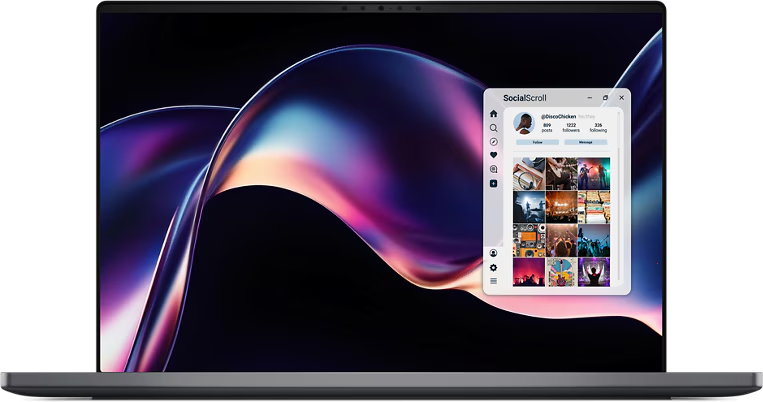
The Dell XPS 14 is a masterpiece of minimalist industrial design, carved from a single block of CNC-machined aluminum. It represents Dell's most ambitious design shift in a decade, featuring a seamless glass haptic touchpad that is invisible to the eye and a "lattice-less" keyboard that spans the entire width of the deck. Above the keyboard, a capacitive touch function row replaces traditional physical keys, allowing for a sleeker profile. The 14.5-inch InfinityEdge display offers a 3.2K OLED resolution with a 120Hz refresh rate, providing an immersive viewing experience with nearly non-existent bezels. This machine is designed for the aesthetics-conscious professional who wants a Windows alternative to the MacBook Pro's build quality.
Internally, the XPS 14 is powered by Intel Core Ultra processors and optional NVIDIA RTX 4050 graphics. While the 4050 is an entry-level discrete GPU, it provides enough acceleration for Photoshop, Lightroom, and light video editing. The dual-fan cooling system exhausts heat through hidden vents in the hinge, maintaining the clean lines of the exterior. Dell’s implementation of haptic feedback on the touchpad is particularly impressive, using small actuators to simulate a click anywhere on the glass surface, which eliminates the mechanical failure points of traditional "diving board" trackpads.
Honest limitations include the polarizing nature of its input methods. The capacitive touch row lacks tactile feedback, which can be frustrating for developers who rely on the Escape or F-keys. Furthermore, the reliance on only three Thunderbolt 4 ports and a microSD slot means users will likely need a dock for desktop use. The XPS 14 is also heavier than the ThinkPad X1 Carbon due to its all-metal construction. However, for users who value display quality and a futuristic design language above all else, the XPS 14 is the most striking laptop on the market today.
Dell Official Product PageTechnical Deep-Dive: Piezoelectric Haptic Feedback
The XPS 14 uses piezoelectric actuators beneath the glass palm rest rather than a mechanical button. When the user presses down, these actuators vibrate at a specific frequency to trick the brain into feeling a "click." This allows for a completely flat glass surface that is easier to clean and more durable. Furthermore, software control allows users to adjust the "click force" and sensitivity, a level of customization that mechanical touchpads cannot offer.
Best 2-in-1 Versatility: HP Spectre x360 14
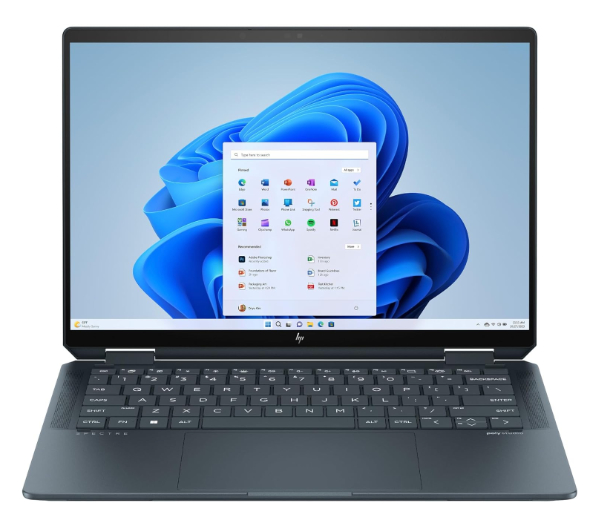
The HP Spectre x360 14 is the definitive convertible laptop, offering a 360-degree hinge that allows it to transition from a traditional notebook to a tablet or "tent" mode for media consumption. The 14-inch 2.8K OLED touchscreen is the centerpiece, supporting the MPP 2.0 (Microsoft Pen Protocol) for high-precision digital art and note-taking. HP has focused heavily on the user experience beyond raw specs, including a 9MP webcam - the highest resolution in its class - with hardware-level AI features like "Auto Frame" and "Background Blur" that operate efficiently on the processor's NPU. The audio system, tuned by Poly (formerly Polycom), provides a surprisingly wide soundstage for such a thin device.
Technically, the Spectre utilizes Intel Core Ultra chips and is one of the few laptops to offer a 120Hz VRR (Variable Refresh Rate) display in a 2-in-1 format. This allows the screen to drop to 48Hz to save power when viewing static content and ramp up for smooth scrolling and ink response. The chassis design features "clipped corners" that house a Thunderbolt 4 port and a 3.5mm jack, strategically positioned so that cables stay out of the way when the device is used in tablet mode. The inclusion of a haptic touchpad and a fingerprint reader integrated into the keyboard deck further enhances the premium feel.
Honest limitations revolve around the 2-in-1 form factor's inherent compromises. At 3.2 lbs, it is a heavy tablet for one-handed use, and the 3:2 aspect ratio, while excellent for productivity, results in significant black bars during widescreen video playback. Additionally, the thermal overhead is lower than the Zephyrus or MacBook Pro, meaning it will throttle sooner under heavy video rendering tasks. However, for a user who needs a single device that can handle professional office work, high-end video calls, and creative sketching, the Spectre x360 is the most polished and versatile 14-inch convertible on the market.
HP Official Product PageTechnical Deep-Dive: 9MP Webcam & AI Sensing
The Spectre x360 features a 9-megapixel CMOS sensor. Unlike typical 720p (0.9MP) or 1080p (2.1MP) webcams, this high-resolution sensor allows for digital cropping without losing detail. Using the "Auto Frame" feature, the NPU can track the user's face and "pan" across the 9MP field of view, keeping them centered even if they move around. Furthermore, the sensor features larger individual pixels, which improves low-light performance - a common weak point for integrated laptop cameras.
How We Chose These Products
Our evaluation criteria focused on architectural balance. A 14-inch laptop is inherently a series of compromises between cooling, weight, and battery capacity. We selected products that successfully navigate these trade-offs through advanced engineering. Specifically, we looked for:
- Thermal Sustained Performance: Using benchmarks like Cinebench R23 (30-minute loop), we analyzed which laptops maintained their clock speeds versus those that throttled quickly.
- Display Metrology: We prioritized panels with at least 400 nits of brightness and high color accuracy (Delta E < 2.0) to ensure suitability for professional visual work.
- Build Integrity: We evaluated chassis flex, hinge tension, and material choices (Carbon Fiber vs. CNC Aluminum) for long-term durability.
- I/O Versatility: Preference was given to laptops offering Thunderbolt 4 or high-bandwidth USB4, which are essential for external GPU support and high-speed storage.
Comparison Overview
| Model | Processor Type | Display Tech | Weight | Battery (Est.) |
|---|---|---|---|---|
| MacBook Pro 14 | ARM (Apple M3) | Mini-LED (XDR) | 3.4 lbs | 15-18 hrs |
| ASUS Zephyrus G14 | AMD Ryzen 9 / RTX 40-series | OLED (Nebula) | 3.3 lbs | 8-10 hrs |
| ThinkPad X1 Carbon | Intel Core Ultra | IPS / OLED | 2.4 lbs | 10-12 hrs |
| Dell XPS 14 | Intel Core Ultra / RTX 4050 | OLED (InfinityEdge) | 3.7 lbs | 9-11 hrs |
| HP Spectre x360 | Intel Core Ultra | OLED (Touch) | 3.2 lbs | 11-13 hrs |
Buying Guide: What to Look For
- OLED vs. IPS vs. Mini-LED: OLED offers perfect blacks and high contrast but can suffer from PWM flicker at low brightness. Mini-LED (Apple) offers higher peak brightness for HDR. IPS remains the best choice for matte, flicker-free, long-term text reading.
- Memory Configuration: Many 14-inch laptops now solder their RAM to the motherboard to save space. Always opt for 16GB as a minimum for general use and 32GB for creative work, as you cannot upgrade later in most models.
- NPU Integration: Look for "AI" or "Core Ultra" branding if you rely on background tasks like live translation, blurring backgrounds in video calls, or local AI generation. These dedicated chips save significant battery life.
- Port Selection: If you use an external monitor, ensure the laptop has HDMI 2.1 or Thunderbolt 4. If you are a photographer, the presence of a full-size SD slot (as seen on the MacBook and G14) is a significant convenience.
General Pro / Cons
| Strengths (Pros) | Weaknesses (Cons) |
|---|---|
| High portability without the screen real-estate limits of 13" models. | Higher heat density due to smaller internal volume than 15/16" laptops. |
| Emergence of OLED as the standard panel type for vibrant visuals. | Soldered RAM is becoming a standard, limiting future upgradeability. |
| Improved battery efficiency through ARM and AI-assisted architectures. | Premium 14-inch laptops carry a higher price per spec than 15.6" models. |
| Better build materials (Carbon Fiber, CNC Aluminum) than budget lines. | Reduced port counts compared to traditional large workstations. |
| Capable of running high-TDP GPUs (Zephyrus) in a small frame. | Integrated graphics in thin models (X1 Carbon) are not for heavy 3D. |
Final Summary
The current selection of 14-inch laptops represents a peak in engineering versatility. Whether you require the unmatched power-per-watt of the MacBook Pro 14, the extreme thermal capability of the Zephyrus G14, or the enterprise-grade reliability of the ThinkPad X1 Carbon, there is a specialized tool for every workflow. Choosing the right machine depends on whether you prioritize display color space, keyboard ergonomics, or raw graphical throughput. Aggregate rating of the products reviewed: 4.7 out of 5.