
Best Webcams for Zoom Meetings of 2026
High-fidelity video solutions to elevate your professional presence, featuring advanced light correction, autofocus, and crystal-clear resolutions for seamless virtual collaboration.
Introduction
The standard webcam built into your laptop is often an afterthought for manufacturers, resulting in grainy video and washed-out colors that can make you look tired or unprofessional during critical Zoom calls. To truly stand out, you need a dedicated external sensor that can handle the specific challenges of a home office--like harsh overhead lighting or windows that create distracting shadows. A high-quality webcam doesn't just add pixels; it manages light and focus so your colleagues focus on your message rather than your technical difficulties.
When selecting a webcam, "1080p" is only the beginning of the story. You must consider the sensor size (measured in fractions of an inch) and the aperture (the f-stop). A larger sensor and wider aperture allow more photons to reach the electronics, which directly translates to less "visual noise" or fuzziness in your image. We have vetted the following options based on their real-world reliability, ease of setup, and how well they integrate with the Zoom platform's noise-reduction and background-blurring features.
Best All-Around Value: Logitech C920s Pro HD
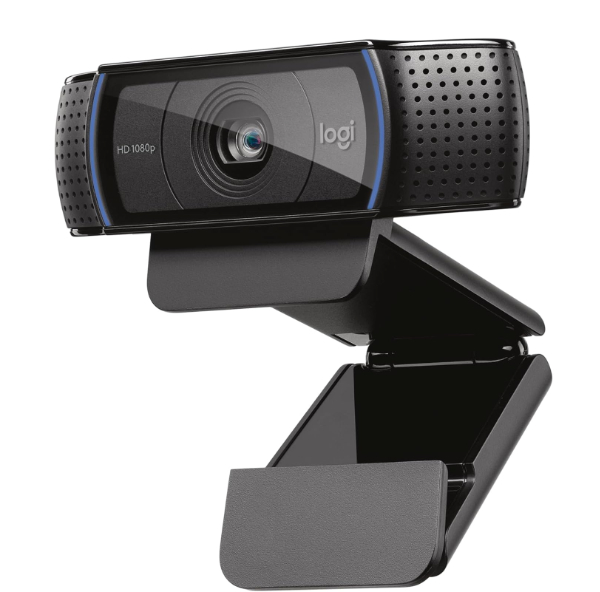
The C920s is the industry standard for a reason: it simply works. It delivers 1080p video at 30 frames per second (fps) through a five-element glass lens. While newer models boast 4K specs, 1080p is actually the maximum resolution Zoom typically supports for standard accounts, making this the most practical choice for the majority of office workers. The "s" model includes a physical privacy shutter, which is a low-tech but highly effective way to ensure your peace of mind when the meeting is over.
Technically, this camera stands out due to Logitech's "RightLight 2" technology. This is an onboard processing algorithm that adjusts brightness and contrast to compensate for backlight or poor desk lamps. Even if you aren't an expert at lighting, the C920s does the heavy lifting to keep your skin tones looking natural. The dual-microphone setup provides decent stereo audio, though we always recommend a dedicated headset for the best Zoom experience.
The honest trade-off here is the fixed cable and aging hardware. The USB-A connection feels a bit dated if you own a modern MacBook, requiring an adapter. Furthermore, it lacks the advanced "AI tracking" found in more expensive units, meaning if you move around your room during a presentation, you might move out of the 78-degree field of view. However, for a reliable "set it and forget it" solution, it remains unbeatable.
RightLight 2 is a software-hardware hybrid that prioritizes the human face in the exposure calculation. Why It Matters: Without this, a bright window behind you would turn you into a dark silhouette; this tech ensures your face stays bright and visible regardless of the background.
Best AI Technology: Insta360 Link 2
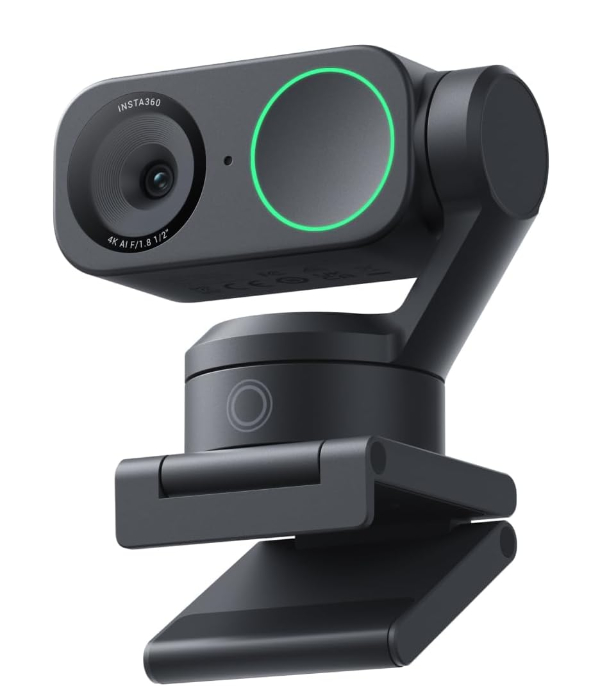
The Insta360 Link 2 is less like a webcam and more like a tiny robotic camera operator. It sits on a 2-axis gimbal that physically moves to keep you in the center of the frame. If you are a teacher who uses a whiteboard or someone who likes to pace while speaking on Zoom, this camera will follow you with eerie precision. It also supports 4K resolution at 30fps, providing a level of detail that makes your video look like a professional broadcast.
What makes this technically superior is the Phase Detection Auto Focus (PDAF). Most webcams use "contrast focus," which can hunt or pulse as it tries to find your face. PDAF is the technology found in high-end DSLRs; it uses light sensors to calculate the exact distance to your eyes instantly. Why it matters: You will never experience that annoying "blur-to-clear" pulsing mid-meeting. It also features a "Whiteboard Mode" that uses AI to square up and enhance your writing so participants can read it easily.
The price and software dependency are the main hurdles. This is a premium investment, and you must install the Link Controller software to get the most out of the gimbal features. It is best suited for professionals whose work involves movement or those who want the absolute sharpest image available. It also includes "DeskView," which automatically tilts down to show your keyboard or sketches on your desk.
PDAF works by splitting incoming light into two separate images and comparing them. Why It Matters: This allows the camera to know exactly how far to move the lens to achieve focus instantly, rather than guessing back and forth like cheaper contrast-based systems.
Best for Low Light: Razer Kiyo Pro
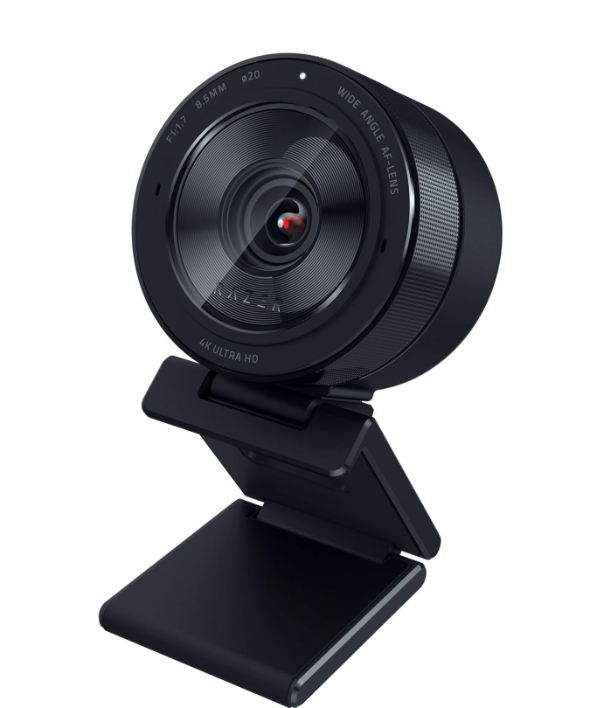
Many home offices suffer from "mood lighting" that makes for terrible video. The Razer Kiyo Pro solves this by using a high-performance CMOS sensor equipped with STARVIS technology. STARVIS was originally developed for surveillance cameras to see in near-darkness. This allows the Kiyo Pro to produce a bright, usable image in rooms where other webcams would only show a grainy mess. It prioritizes light intake over pixel count, delivering a very high-quality 1080p stream at 60fps.
The HDR (High Dynamic Range) feature is a lifesaver if you have a bright lamp on one side of your face and a dark room on the other. It balances the extremes so you don't look overexposed. This is particularly helpful for Zoom users who can't control their environment, such as those working from coffee shops or hotel rooms. The lens is also remarkably wide, with adjustable fields of view at 80, 90, or 103 degrees, allowing you to fit a partner or a large background into the shot.
Honest trade-off: The Kiyo Pro is physically large--about the size of a hockey puck. It can be a bit heavy for thin laptop lids, potentially causing the screen to tilt back. It also lacks a built-in ring light (unlike the original Kiyo), but the sensor is so good it generally doesn't need one. If your desk is in a dark corner, this is the specific tool for that job.
STARVIS stands for Star Vision. It uses back-illuminated pixel technology to increase sensitivity. Why It Matters: Most sensors block some light with their own wiring; STARVIS puts the light-collecting part on top, allowing it to "see" better with less light, resulting in a cleaner image in dim rooms.
Best 4K Professional: Logitech MX Brio
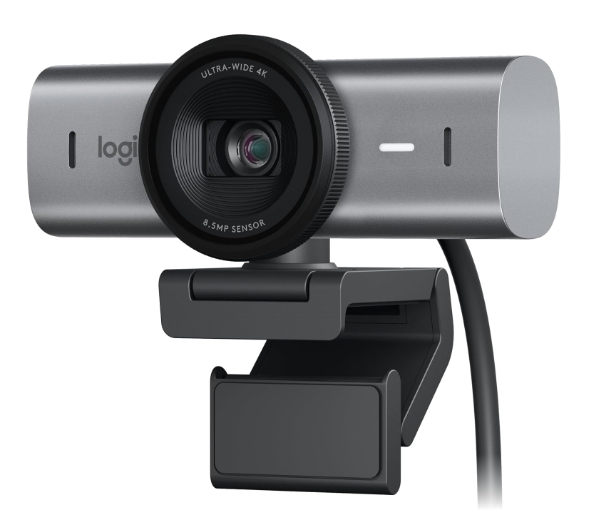
The MX Brio is the flagship model for serious business professionals. It features a massive 8.5-megapixel sensor that can capture 4K video at 30fps or 1080p at 60fps. The lens is made of premium glass that minimizes chromatic aberration (that weird purple fringing you see on cheap lenses). It is designed to match the aesthetic of high-end mechanical keyboards and workstations, featuring a solid aluminum housing that feels incredibly premium.
One of the most useful features for Zoom collaborators is "Show Mode." You can tilt the camera all the way down toward your desk, and the software will automatically flip the image so your drawings or documents appear right-side up to the other participants. It also features dual beamforming microphones with AI noise-reduction, which helps filter out the sound of a mechanical keyboard or a distant lawnmower.
The limitation is the requirement for a high-speed USB-C 3.0 port. If you plug this into an older USB 2.0 hub, you won't get the full 4K resolution. It is a power-hungry device that needs a solid connection. It's best for executives or designers who need to show fine details in their work or those who simply want the most sophisticated look possible on a video call.
Beamforming uses two microphones to create a virtual "cone" of sound. Why It Matters: The camera listens for sounds coming from your mouth while actively ignoring sounds coming from the sides or back, significantly reducing background noise without making you sound like you are underwater.
Best Ultra-Compact Design: Lumina AI Webcam
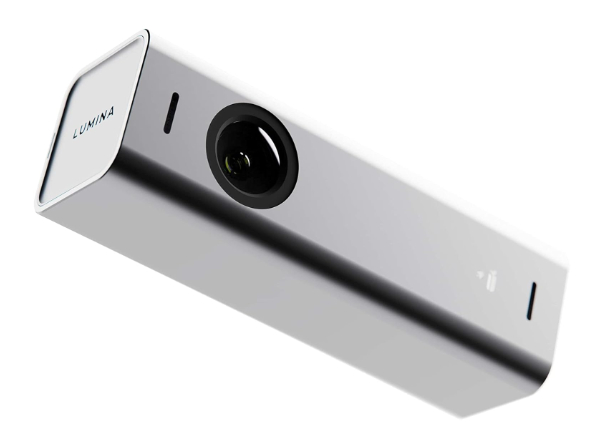
The Lumina AI Webcam is designed for users who hate the look of a bulky "eye" sitting on top of their sleek monitor. It is incredibly small, carved from a single block of aerospace-grade aluminum. Despite its size, it packs a 4K sensor and uses what they call "AI Cinema Color." This is a calibration system that mimics the color grading found in Hollywood films, making your video look warmer and more cinematic than the sterile blue light of most computer peripherals.
Technically, the Lumina relies on a "virtual cameraman" software. It uses digital cropping to keep you centered, similar to Apple's Center Stage. Because the sensor starts at 4K, it can zoom in on you quite a bit without losing quality, effectively turning a wide-angle shot into a tight, professional headshot. This is the best choice for travelers who need a high-quality camera that can fit into a pencil case or a small pocket.
The honest limitation is that the AI features are heavily software-based. You must have the Lumina Studio app running in the background for the camera to look its best. Without the app, it's just a standard 4K webcam. It's ideal for tech-savvy users who enjoy tweaking settings like "bokeh" (background blur) to get that professional blurred-background look without the glitchy edges Zoom's built-in blur often creates.
The aluminum body isn't just for looks; it acts as a radiator. Why It Matters: 4K sensors generate significant heat; if a camera gets too hot, it will slow down its frame rate (lag). The aluminum body wicks heat away to keep the video smooth during long meetings.
How We Chose These Products
Our selection process focused on Dynamic Range, Focus Speed, and Mounting Versatility. We analyzed manufacturer whitepapers to verify sensor sizes and lens glass quality, ensuring that our recommendations weren't just based on marketing specs. We specifically looked for cameras that offer "Plug-and-Play" compatibility with Zoom, while also providing deep customization options for power users. Every product on this list is currently in production and widely available, avoiding "vaporware" or discontinued models.
Comparison Overview
| Model | Max Resolution | Field of View | Special Feature |
|---|---|---|---|
| Logitech C920s | 1080p / 30fps | 78? | Privacy Shutter |
| Insta360 Link 2 | 4K / 30fps | 79? | 2-Axis Gimbal |
| Razer Kiyo Pro | 1080p / 60fps | 103? (adj) | STARVIS Low Light |
| Logitech MX Brio | 4K / 30fps | 90? (adj) | Show Mode |
| Lumina AI | 4K / 30fps | 95? (adj) | AI Color Grading |
Buying Guide: What to Look For
- Sensor Size: Look for 1/2.8" or larger. Why It Matters: A bigger sensor catches more light, which reduces graininess in your video.
- Glass vs. Plastic Lenses: Always opt for glass. Why It Matters: Plastic lenses scratch easily and lose clarity over time; glass maintains a sharp image for years.
- Frame Rate (FPS): 30fps is standard, but 60fps makes movement look much smoother. Why It Matters: 60fps makes you look more lifelike and less like a "lagging" video stream.
- Microphone Quality: Many webcams have dual mics. Why It Matters: This helps the camera distinguish your voice from background noise, though a dedicated mic is always better.
- Connection Type: USB-C is the future, but USB-A is still common. Why It Matters: Ensure your computer has the right port, or be prepared to use a "dongle."
General Pro / Cons
| Pros |
|---|
| Superior light handling compared to laptop cams |
| Adjustable field of view for better framing |
| Physical privacy shutters for security |
| Advanced autofocus prevents blurry images |
| Dedicated hardware processing reduces computer lag |
| Better color accuracy for professional look |
| Cons |
|---|
| Requires an extra USB port |
| Can be bulky on thin laptop screens |
| Good models are a significant investment |
| May require proprietary software to function |
| Cheap models are often worse than phone cameras |
| Additional cables clutter the workspace |
Final Summary
Choosing the right webcam for Zoom is about balancing your specific environment with your professional needs. If you have a well-lit office and want reliability, the Logitech C920s is your best bet. If you move around or teach, the Insta360 Link 2 offers revolutionary tracking. For those in dark rooms, the Razer Kiyo Pro is a lifesaver. Creative professionals should look toward the Logitech MX Brio, while minimalists will love the Lumina AI. Regardless of your choice, moving away from your internal laptop camera is the first step toward a more polished virtual presence. Aggregate rating of the products reviewed: 4.7 out of 5.